A new direction for your next frame.
Video to Video AI Coming Soon
Use an existing clip as the starting point for a new visual direction. Supported transformations and timing controls remain not yet available.
Coming Soon
This feature is not available yet. Explore image and video generation in the meantime.
Explore available tools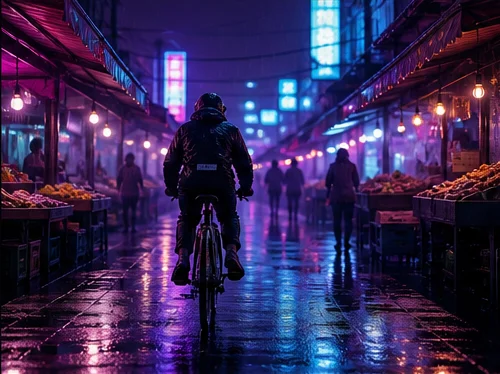
A BETTER STARTING POINT
A new direction for your next frame.
Start with a short clip and describe the visual change. Timing, duration and preservation controls are not yet available.
Concept image, not an attributed model output.
How to use video to video ai
- Prepare a clip and a new visual direction.
- Choose a compatible model, aspect ratio, and output settings.
- Review the illustrative estimate. Sign in when you submit, then confirm again with your draft intact.
Input and output considerations
Start with a short clip and describe the visual change. Timing, duration and preservation controls are not yet available.
Model support differs by mode. Only compatible choices appear in the selector; changing a model retains the prompt and resets unsupported settings. This prototype does not submit requests or produce new media.
Explore a related workflow
MORE WAYS TO MAKE IT YOURS
Different models.
One creative studio.
Explore leading AI video models and bring your next idea to life, all in one familiar AI video generator.
YOUR QUESTIONS, ANSWERED
What can I make with GenPlenty?
Explore five starting points: text to video, image to video, text to image, image to image, and video to video (Coming Soon). Choose a starting point and adjust the model and settings in the same creative space.
Do I need an account to explore?
You can browse examples, write a prompt, choose a model, and adjust settings before signing in. Sign-in appears when you submit. Closing it keeps your draft.
How do credits work?
The planned product uses one-time Credits purchases. Your selected model and output settings determine the estimate. This concept shows illustrative Credits only; production prices and trial eligibility are not confirmed.
Will signing in lose my idea?
Your prompt, compatible settings, and local reference stay with your draft. After simulated sign-in, the composer shows your saved prompt, files and settings. Review your draft, then choose Generate and confirm the estimate.
Are these real generated results?
This is an interactive design prototype. The gallery uses original concept images from our earlier demo. Video samples are still posters, not playable model outputs, and no model API or payment is connected.
Can I use results commercially?
Production usage rights will depend on the selected model, its terms, and the rights to your inputs. Review the applicable terms before use. This prototype does not grant rights for future model outputs.
Dream bigger. Create beyond.
Turn bold ideas into striking videos and images. Push boundaries, shape new worlds, and bring your vision to life with AI.